Pale ink made dark
Washed-out brown and grey ink becomes solid and readable again.
Bring pale ink, faint pencil and washed-out handwriting back to life in one click. Every word becomes readable again in the writer's own hand, while the paper stays exactly as it was.
Brings back faded writing on
See the difference
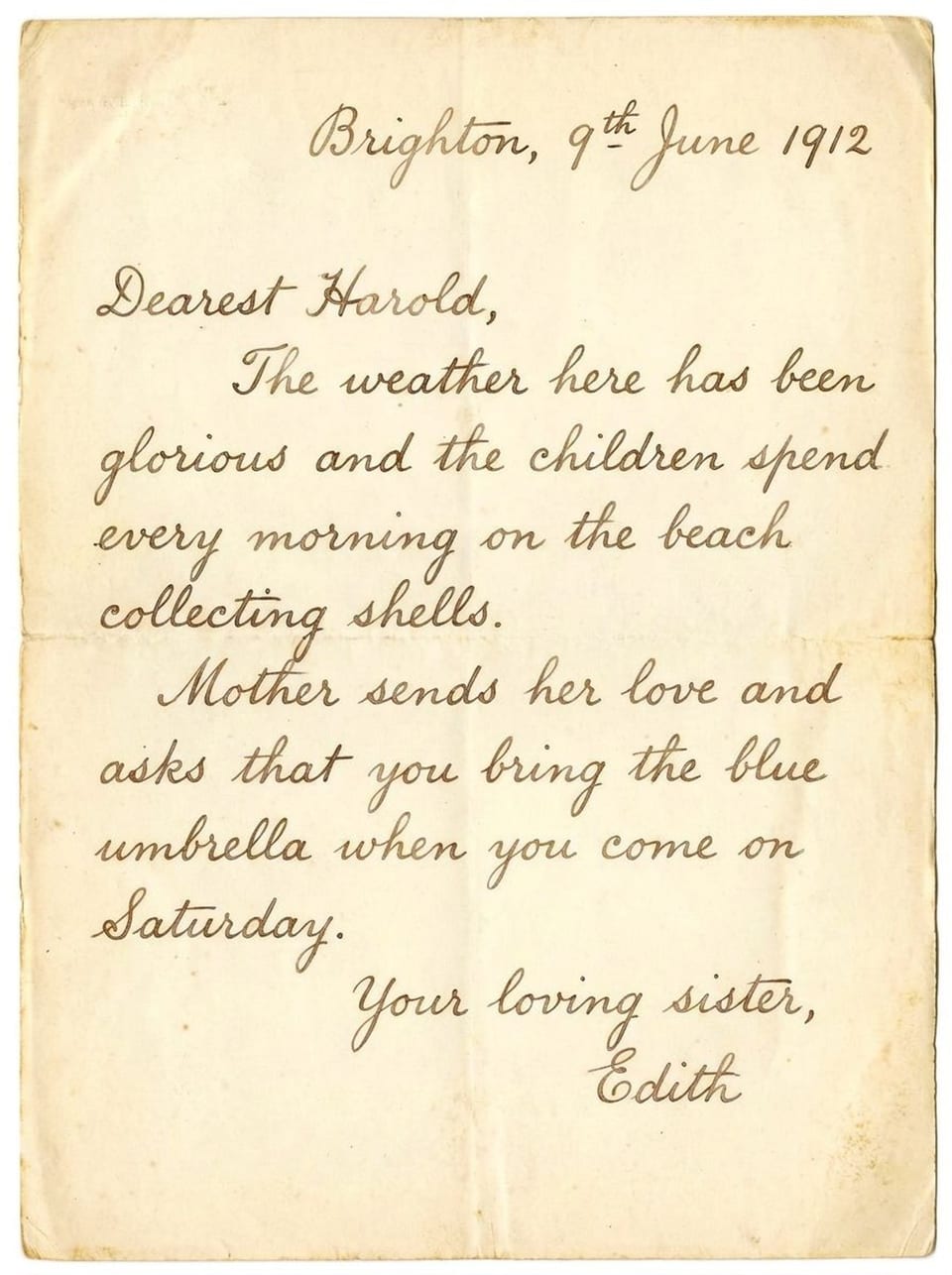
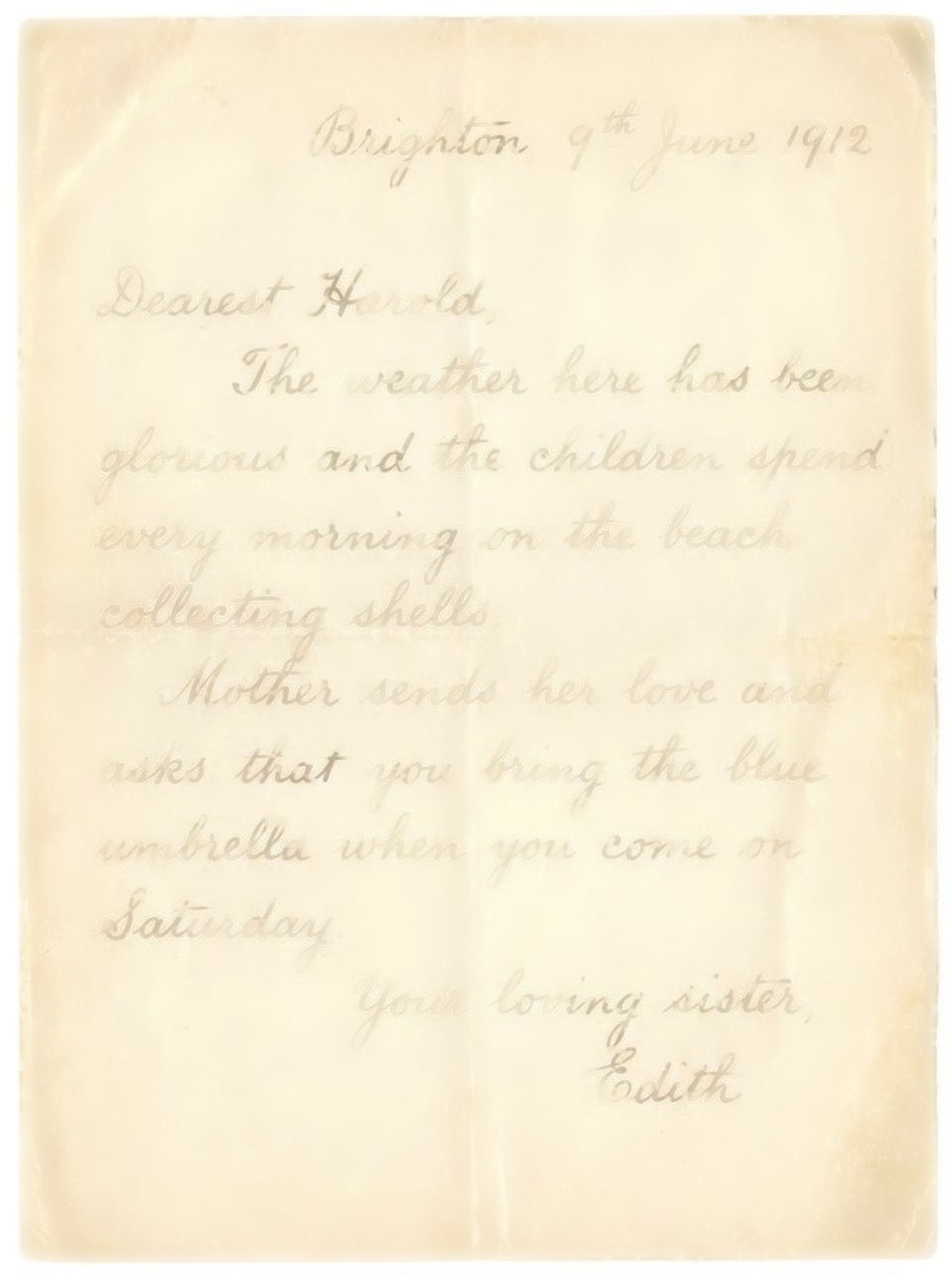
This letter from 1912 had faded so far that parts of some words were gone. Drag the slider to see how the restored page reads, with the same handwriting and the same aged paper.
Why text fades
Faded text is rarely gone for good. Traces of the ink usually remain in the paper, and that is what Scripily reads and strengthens.
Years of light and air break down ink pigments until writing turns pale brown or grey.
Many historic inks lose colour over time, leaving words that are barely darker than the paper.
Graphite smudges and wears away with handling, so notes and margins slowly disappear.
Damp washes ink out and discoloration hides words underneath a brown tide of staining.
Low contrast, soft focus or bright lighting can make readable pages look faded on screen.
Thermal receipts and fax paper fade on their own, sometimes within a few years.
How it works
No levels, curves or layers. Upload the page and let Scripily do the careful part.
Letters, diaries, ledgers and typed pages in JPG, PNG or PDF. Every page keeps its full resolution.
One click darkens faint ink, sharpens soft strokes and rebuilds broken letters. The paper and the handwriting itself are left alone.
Rebuild single words with the box tool, compare before and after, then download or save to your library.
What it brings back
Each preview below loops between the faded original and the restored result.
Washed-out brown and grey ink becomes solid and readable again.
Letters that have partly worn away are completed in the same hand.
Faint cursive and signatures come back with the writer's own shapes.
Fine-tune
Restore the whole page first, then use page tools or mark a single line for the last few words.
Apply to the whole page
Darken faded ink
Makes faint print and writing solid.
Sharpen blurry text
Crisp letter edges on soft scans.
Recover handwriting
Faded manuscript, pencil and cursive.
Rebuild broken letters
Completes partly missing characters.
Remove ink bleed
Feathered, spread or haloed ink.
Reveal text under stains
Lifts words out of dark discoloration.
Draw a box or brush over just the faint part
Fix text
Sharpens faded or broken letters in one area.
Rebuild missing letters
Completes words with lost characters.
Strengthen handwriting
Signatures, cursive and pencil notes.
Restore stamp or seal
Rebuilds faded or broken seals.
Erase marks
Scribbles, tape, stickers and notes.
Free presets
Faded ink, black and white, grayscale, sepia and more.
Use cases
Anyone holding a page that is too faint to read.
Read faded names, dates and places in old letters, registers and family records.
Make faint documents in a collection readable for visitors and researchers.
Recover the words in primary sources you could not quite make out.
Bring a grandparent's handwriting back so it can be read, shared and kept.
Make old deeds, plans and records legible for reference and research.
Recover faded figures and entries in account books and parish registers.
Prepare clear reading copies of fragile items without touching the original.
Rescue faded receipts, warranties and notes before they disappear completely.
Compare
Contrast and levels darken everything, paper included, and cannot bring back strokes that are no longer there.
| Capability | Scripily | Contrast and levels | General photo enhancers |
|---|---|---|---|
| Darkens the ink, not the paper | |||
| Rebuilds missing letter parts | |||
| Keeps the original handwriting | |||
| Keeps paper colour and texture | |||
| Fix just one line or word | |||
| Restores whole multi-page PDFs | |||
| Skills needed | None | Advanced | None |
means partly, or only with careful manual work.
Tips
A good scan and the right tool for each part of the page make all the difference.
Scan or photograph in good light. Even, shadow-free light and a sharp, high-resolution image give the AI the most ink to work with.
It fixes most pages in one go. Use the area tools only for what is left.
If the rest of the page is fine, box the faded lines and use Fix text so nothing else changes.
It works best on cursive, signatures and pencil that has worn away.
Boost contrast for free first. If it is enough, you do not need to spend points.
FAQ
Upload a photo or scan of the page, or a PDF, to Scripily and press Restore faded text. Faint ink is darkened, blurred strokes are sharpened and broken letters are rebuilt across the whole page. You can then compare before and after, fine-tune single lines, and download the restored page.
Yes. When ink has worn away and only part of a letter is left, Scripily rebuilds the missing strokes in the same handwriting so the word reads clearly again. For a single word or line you can also mark the area and use Rebuild missing letters.
Yes. Faded Text Restoration only strengthens the writing. The paper colour, texture, folds and layout are left as they are, and the letters keep the writer's own handwriting rather than being replaced with a typed font.
Yes. It is built for pale ink, faint pencil, cursive letters, signatures and old handwriting, as well as faded typewritten and printed pages. Recover handwriting is a dedicated tool for cursive, signatures and pencil.
Letters, diaries, ledgers, registers, certificates, deeds, postcards, notebooks, typed pages and other paper records. If the writing has faded, blurred or partly worn away, it is a good fit.
You can upload JPG and PNG images or a whole PDF. Every page keeps its full resolution, and each page of a PDF can be restored and downloaded.
Yes. Draw a box or brush over just the faint lines and choose Fix text, Rebuild missing letters, Strengthen handwriting or Restore stamp / seal. Only the marked area changes.
Signing up and uploading are free. Restoring a page uses 150 points, and fixing a marked area uses 120 points. Simple presets such as Faded ink, Black and white and Grayscale are free. If a restore fails, the points are returned. See the pricing page for how many points each plan includes.
Yes. Every step is kept as a version. Switch between Original, Result and Compare, drag the slider to check the difference, and undo any step you do not want.
Yes. Darker, sharper and complete letters are much easier to read for people and for text recognition. After restoring a page you can turn it into editable text with Scripily's handwriting recognition and transcription tools.
Upload a page, restore the faded text in one click and keep a clear, readable copy in the original handwriting.