Edit Document Photos with AI
Straighten a phone photo, erase pen marks and notes, change any word in the same handwriting and finish with a clean look. One editor, no design skills.
Free to sign up · Free crop, adjust and looks · JPG, PNG, WebP, TIFF and PDF
- Straighten and crop
- Erase marks and notes
- Change any word
- Free looks and adjustments
Before and after
From a messy phone photo to a clean document
Straightened, marks erased, the circled name changed and a Clean scan look applied, all in the same editor.
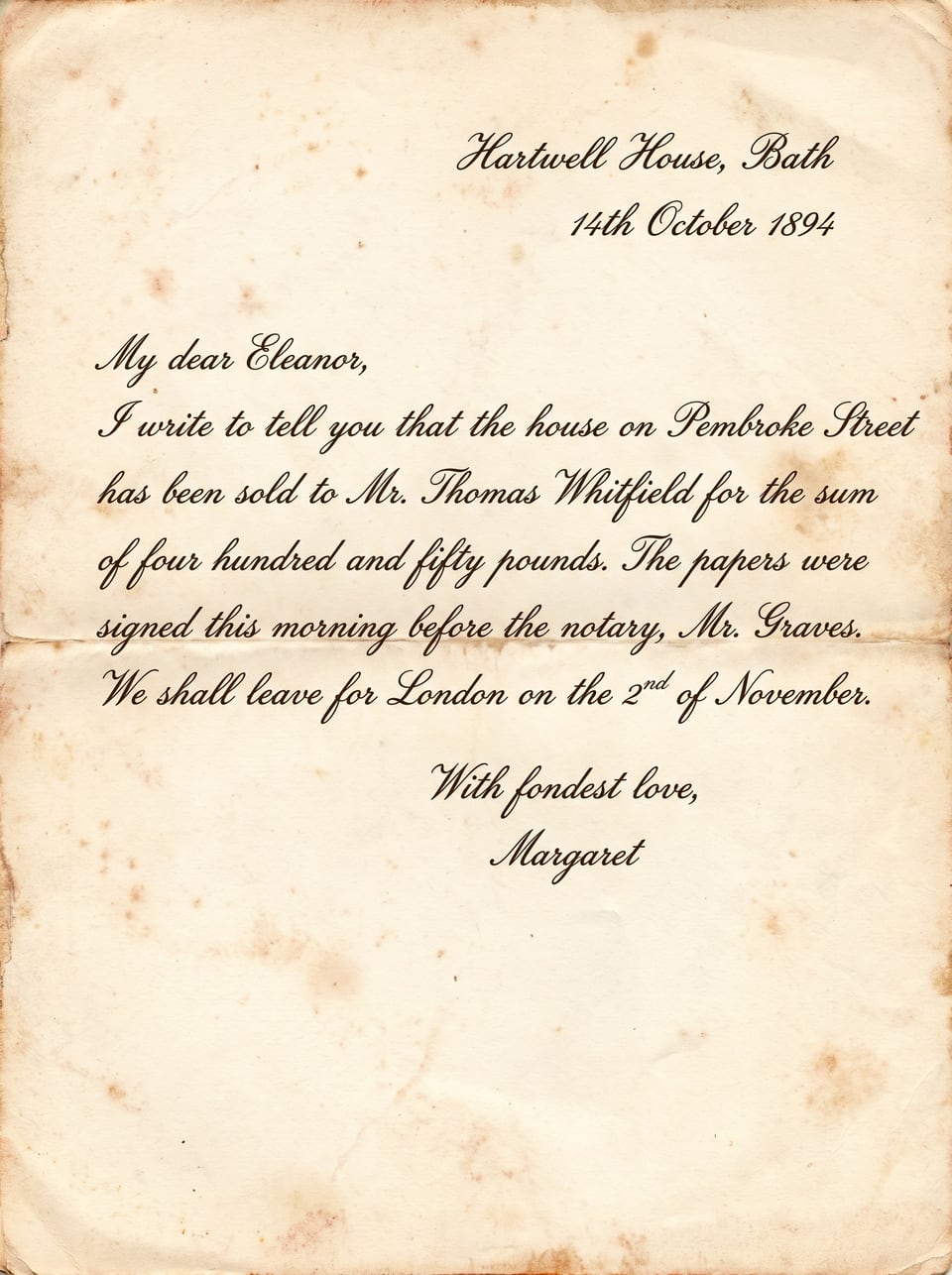
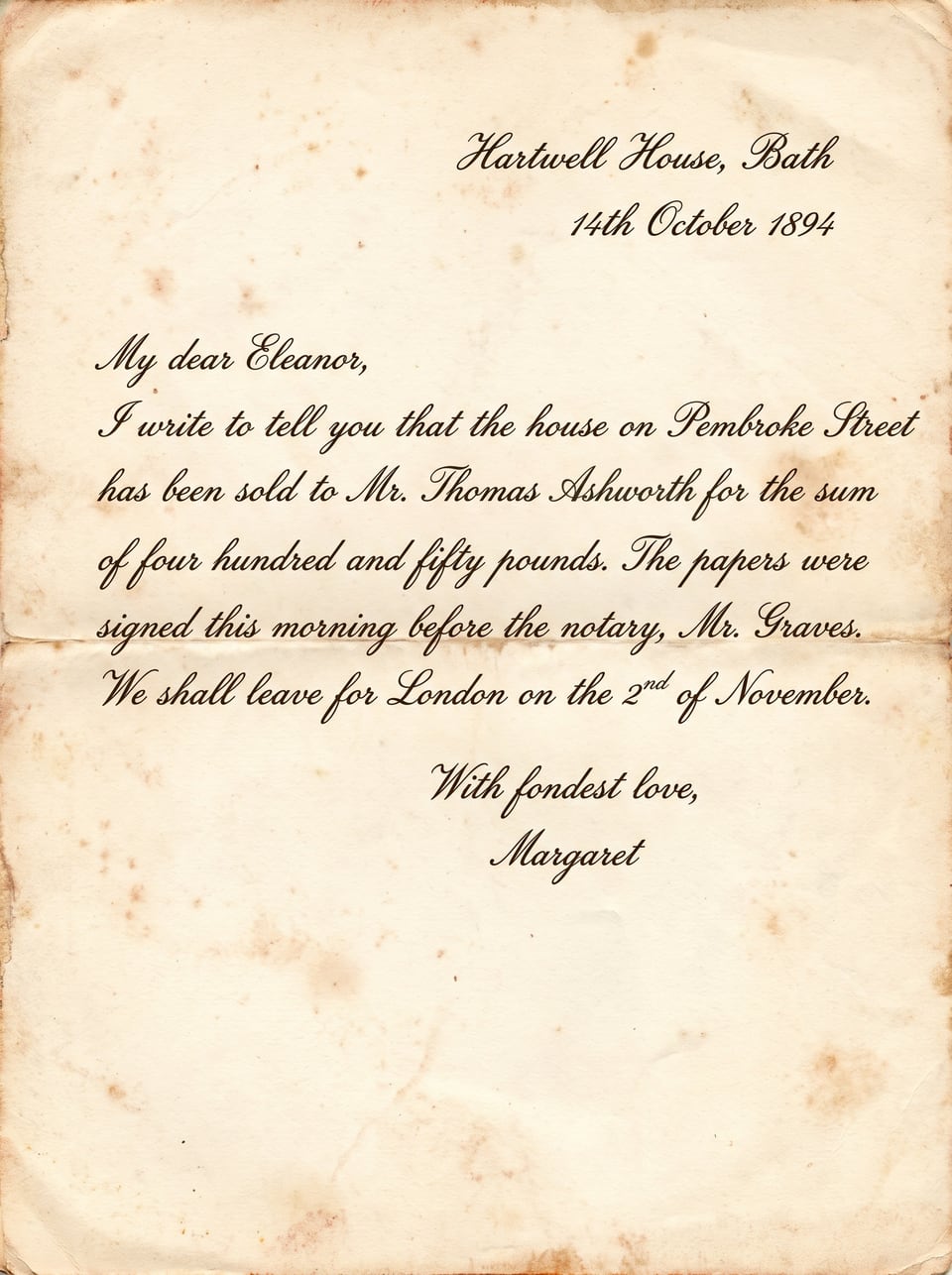
- Straightened
- Desk cropped out
- Scribble erased
- Sticky note removed
- Whitfield → Ashworth
- Clean scan look
The editor
Everything you can do to a document photo
Text, marks, damage, angle and tone. Every tool works on the page as it is, keeping its paper and lettering.
Change text
Click a word, type the new one, and it is written in the same handwriting or font.
Learn moreErase marks (inpaint)
Brush over pen marks, tape, stickers and notes. The paper underneath is filled in naturally.
Straighten & crop
Square up a tilted phone photo and trim the desk around it.
Rotate & flip
Turn pages the right way up or mirror a scan in one tap.
Fill holes & tears
Rebuild missing paper and print inside a marked area.
Restore stamps & seals
Bring back faded or broken stamps and seals.
Adjust
Light, paper and ink, colour and sharpness, all free.
One-tap looks
Clean scan, White paper, Black & white, Sepia and more.
Upscale
Add resolution for sharper prints and archives.
How it works
Edit a document photo in five steps
Use as many or as few steps as you need. Every step is saved, so you can undo anything.
Step 1
Snap or scan
Take a photo with your phone or upload a scan or PDF.
Step 2
Straighten & crop
Square the page up and trim the background.
Step 3
Erase and fix
Brush away marks, fill tears, restore faded words.
Step 4
Change the text
Correct names, dates or typos in the same lettering.
Step 5
Finish and download
Pick a look, compare with the original, download.
AI inpainting
Erase anything that should not be on the page
Inpainting fills a marked area with what would naturally be underneath. On a document that means matching paper grain, colour and lighting, so the spot simply looks clean, not covered.
- Pen and pencil scribbles
- Sticky notes and labels
- Tape and sticker residue
- Highlighter and circles
- Coffee marks and smudges
- Hole punches and staple marks
Box
Drag a box around a note or label.
Brush
Paint over a scribble of any shape.
Erase marks
Remove what you marked, keep the page.
Fill hole / tear
Rebuild paper and print in a gap.
Try it here
Play with the free adjustments
Move the sliders or tap a look to preview how the Adjust tools change a document photo.
Adjust (free)
This preview approximates the editor in your browser. The editor also has shadows, highlights, tint and sharpen.
Use cases
Who edits document photos with Scripily
Personal paperwork
Tidy up photos of letters, forms and notes before you send or file them.
Family history
Clean marks and labels off old family documents and keepsakes.
Small businesses
Update details on your own menus, flyers and price lists from a photo.
Students and teachers
Clean up photographed handouts, worksheets and notes.
Archives and collections
Prepare clean reading copies without touching the original.
Designers and creators
Edit the words on document mock-ups, props and posters.
Compare
More than a scanner app, easier than a photo editor
| Capability | Scripily | Phone scanner apps | Photo editors |
|---|---|---|---|
| Straighten and crop a photo | |||
| Erase marks with matching paper | |||
| Change text in the same handwriting | |||
| Repair holes, tears and faded text | |||
| Keeps paper texture and full resolution | |||
| Skills needed | None | None | Advanced |
Undo any step
Every edit is saved as a version.
Full resolution
Pages keep their original size.
Edits only where you ask
The rest of the page stays as it is.
Use it responsibly
Only edit documents you are allowed to change.
FAQ
Questions about editing document photos
How do I edit a document photo with AI?
Upload the photo or scan to Scripily. Straighten and crop it, brush over pen marks or notes and choose Erase marks, click a word to change it in the same handwriting or font, then apply a free look or adjust the light and colour. Compare with the original and download the edited document.
Can I remove pen marks, sticky notes or tape from a document photo?
Yes. Brush or draw a box over scribbles, tape, stickers or notes and choose Erase marks. Scripily fills the area with paper that matches the texture and lighting around it, a technique often called inpainting.
Can I change text in a photo of a document?
Yes. Click a detected line or select the words, type the new text and Scripily writes it into the photo in the same lettering, for handwriting as well as printed text. You can also remove text or restore faded words.
Can it straighten a crooked phone photo of a document?
Yes. Straighten & crop finds the page edges, squares up a tilted photo and trims the background. You can also rotate, flip and crop to a box by hand.
What adjustments are available?
Brightness, contrast, shadows and highlights; Whiten paper and Deepen ink; saturation, warmth and tint; and sharpen. One-tap looks include Clean scan, White paper, Faded ink, Vintage, Vivid, Grayscale, Black & white and Sepia. Adjustments and looks are free.
Does editing change the quality of my photo?
No. Pages keep their full resolution, edits are applied only where you ask, and every step is saved as a version you can undo. You can also upscale a page for printing.
What file types can I edit?
JPG, PNG, WebP and TIFF images and PDF files. Download the edited page as an image or PDF, or save it to your Scripily library.
How much does it cost?
Signing up is free, and cropping, rotating, adjustments and looks are free. AI edits use points from your plan: for example, a text change uses 150 points and erasing marks in an area uses 20 points. Failed AI edits are refunded, and every plan, including the free plan, comes with monthly points.
Is it okay to edit any document?
Only edit documents you own or have permission to change. Do not use Scripily to alter official, legal, financial or identity documents in order to mislead anyone.
Turn your next document photo into a clean page
Straighten it, erase the marks, fix the words and download. All in one editor, right in your browser.